
·CASE STUDY
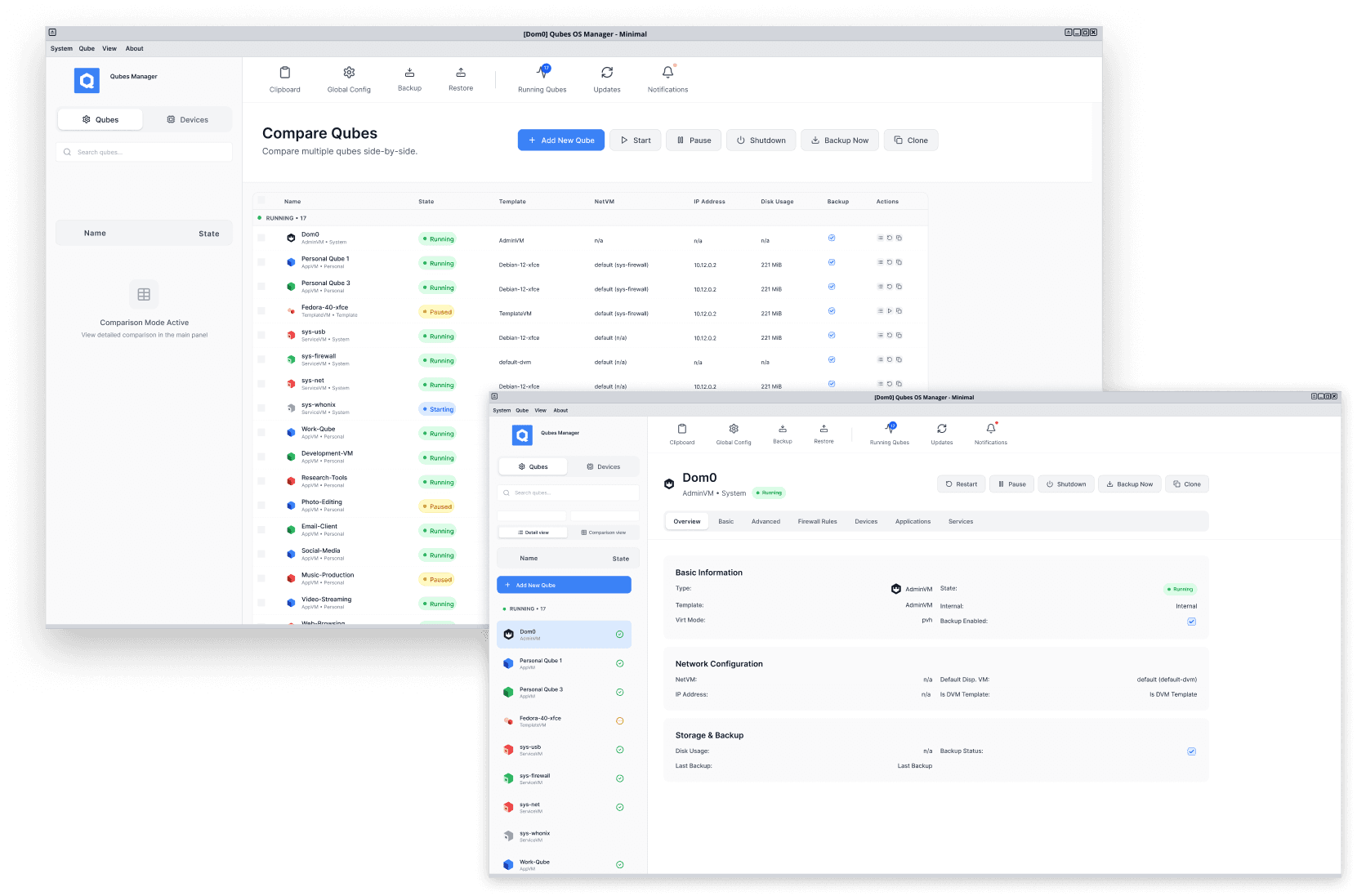
CLIENT
ROLE
SCOPE
USERS AFFECTED
WORKFLOWS UNIFIED
THE PROBLEM
The system tray was disappearing. Several critical workflows lived there and nowhere else.
Qubes OS is a security-focused operating system built for people who take digital security seriously — journalists, activists, hackers, security researchers, developers, and anyone whose work or life requires genuine compartmentalisation. The Qubes team is transitioning from X11 to Wayland as the underlying window manager — a necessary modernisation that brings security and compatibility benefits. The system tray is a native X11 feature with no Wayland equivalent. Once the transition completes, it disappears.
In a security-focused OS, loss of visibility over these functions isn't just frustrating. It increases the likelihood of user error at exactly the moments when error matters most.
THE TRAY
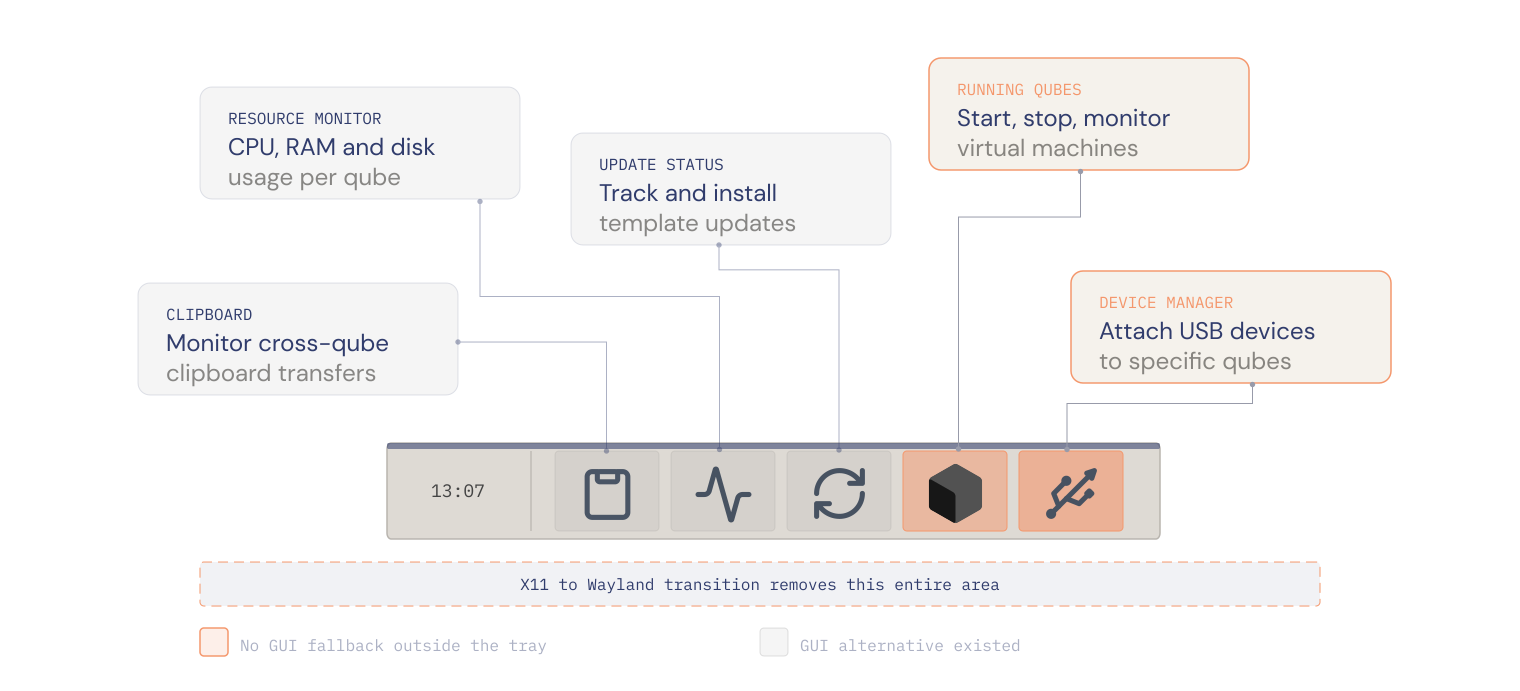
The system tray in Qubes OS is a strip of widgets that sits in the corner of the desktop. For most operating systems the tray is a convenience — notifications, volume, battery. In Qubes OS it carries real operational weight.
The Qubes OS system tray
INSIGHTS
Insight 01
Some of these functions had no GUI home outside the tray
Resource monitoring and clipboard management were only accessible via the tray or the command line. No GUI equivalent existed anywhere else in the OS. For less technical users — those who relied on the graphical interface rather than the terminal — losing the tray meant losing access to these functions entirely.
Insight 02
The tray was already inconsistently supported
Even before the Wayland transition, the tray wasn't available in all desktop environments. Users running i3 or Sway had no access to these tools at all. The Wayland migration forced the issue into the open — but the problem predated it. A more durable solution was overdue regardless.
THE DECISION
The Qubes Manager was the right home. But it needed to be rebuilt first.
The Qubes Manager was the most commonly used management surface in the OS — the place users went to see their qubes, start and stop virtual machines, and manage their system. It was the logical home for the tray functions.
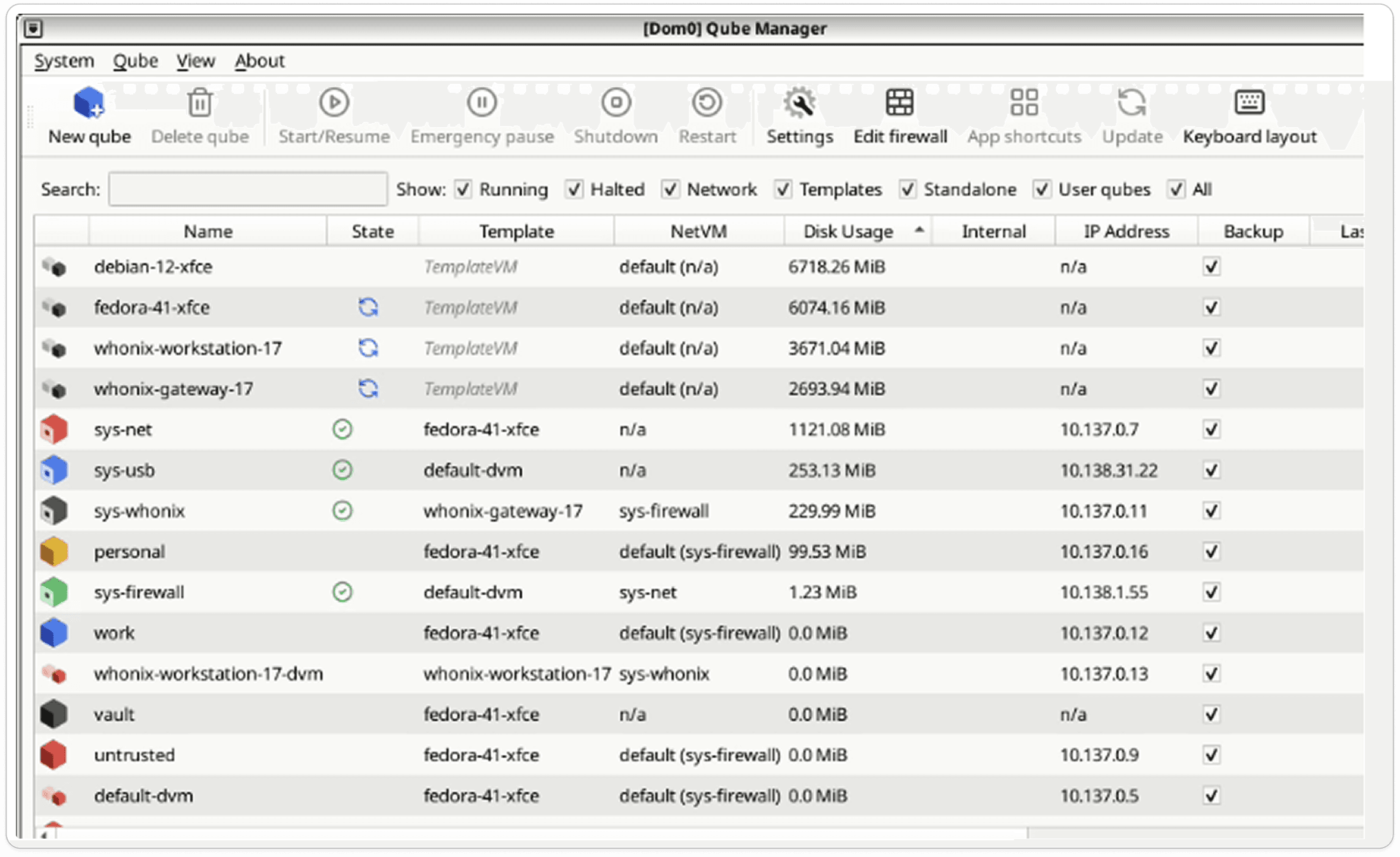
But the existing Manager couldn't absorb five new workflows without becoming an overloaded patchwork. Per-qube actions were mixed with system-level controls, navigation was inconsistent, and the interface reflected implementation logic rather than how users actually thought about their system.
Adding to that structure would have made things worse. The right answer was to redesign the Manager from the ground up — not just to fit the new functions, but to build something that could scale.
The existing Qubes Manager
ARCHITECTURE
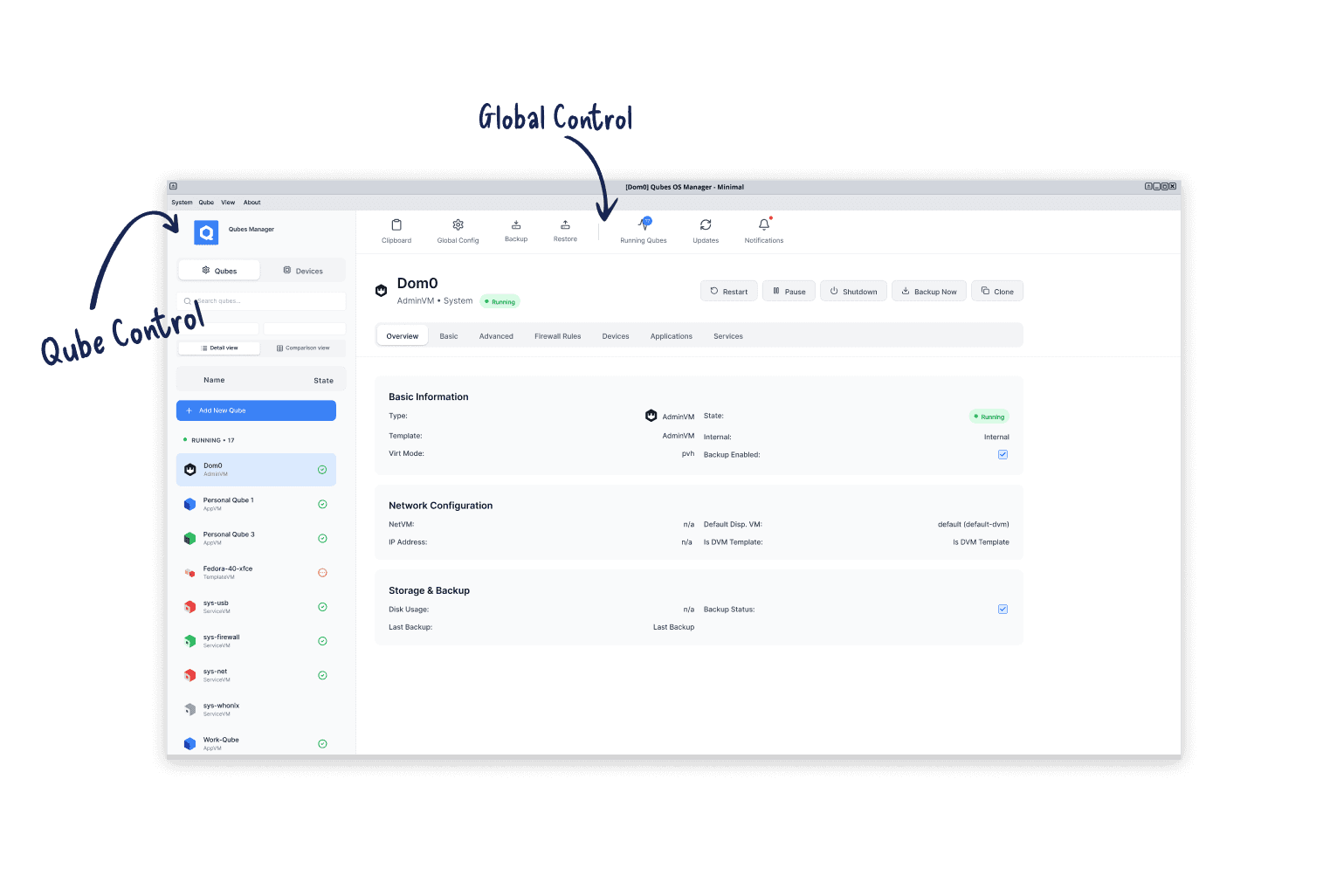
The redesign centred on a single organising principle. The top bar handles global system tools — status, monitoring, and actions that apply to the whole system regardless of which qube is selected. The sidebar handles qube-specific actions — everything that operates on a selected qube in context.
This rule gave every tray function a clear address. It also resolved the longstanding ambiguity in the existing Manager where system-level and per-qube actions sat in the same toolbar with no clear distinction between them.
TRAY MIGRATION
Functions that apply to the whole system regardless of which qube is selected. Always visible, always accessible. Clipboard, resource monitoring, updates and notifications all live here — the things a user needs to check without being tied to a specific qube context.

CLIPBOARD
— MIGRATED FROM TRAY
Cross-qube clipboard status
Previously tray or CLI only. Now always visible in the top bar.
RUNNING QUBES
— MIGRATED FROM TRAY
Real-time CPU and RAM per qube
Opens a dropdown with live resource usage and quick actions.
UPDATES
— MIGRATED FROM TRAY
Template update status
Previously a modal. Now an inline dropdown — now less disruptive.
NOTIFICATIONS
— MIGRATED FROM TRAY
System wide notifcation centre
New addition making system alerts visible and navigable.
The sidebar is contextual — everything here relates to a selected qube. The new Devices view sits alongside the Qubes list, following the same interaction model. Select a qube, manage it. Select a device, manage it. The parallel structure is intentional.
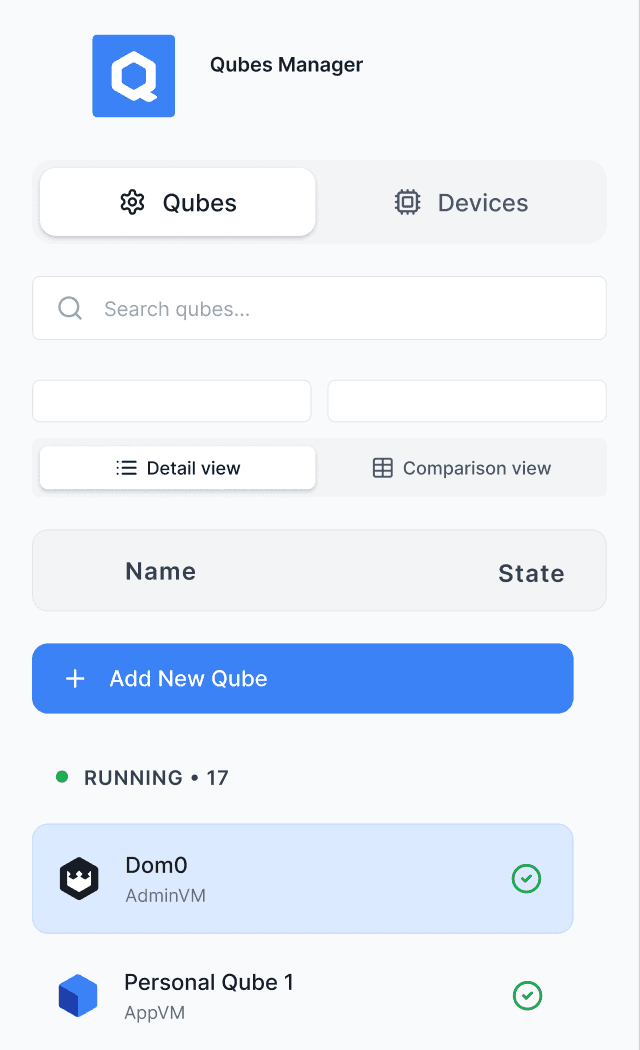
QUBES / DEVICES TOGGLE
Two parallel views, one sidebar
Qubes and devices follow the same interaction model — select one, manage it in context. The toggle gives each its own space without a separate window.
DETAIL / COMPARISON TOGGLE
Preserved the expert view
Power users who relied on the flat table for scanning qubes side by side still have it. The new Detail view sits alongside rather than replacing it.
DEVICES VIEW — MIGRATED FROM TRAY
Device management in qube context
Devices belong in the sidebar because attachment is always targeted at a specific qube. This placement keeps the security relationship explicit — and leads to the next design decision.
THE HARDEST DECISION
Device management was the hardest function to place. A USB device is detected by the system — that's a global event. By that logic it belongs in the top bar alongside the other global tools.
But in Qubes OS, attaching a device isn't a system action — it's a security decision. The user must deliberately choose which qube receives the device. Routing an untrusted USB stick to the wrong qube is exactly the kind of mistake Qubes OS is designed to prevent. The placement needed to reflect that security relationship explicitly.
Device attachment went into the sidebar. Users select a qube first, then attach a device in that context. The two steps happen in the same place, which keeps the relationship between device and destination visible rather than abstract.
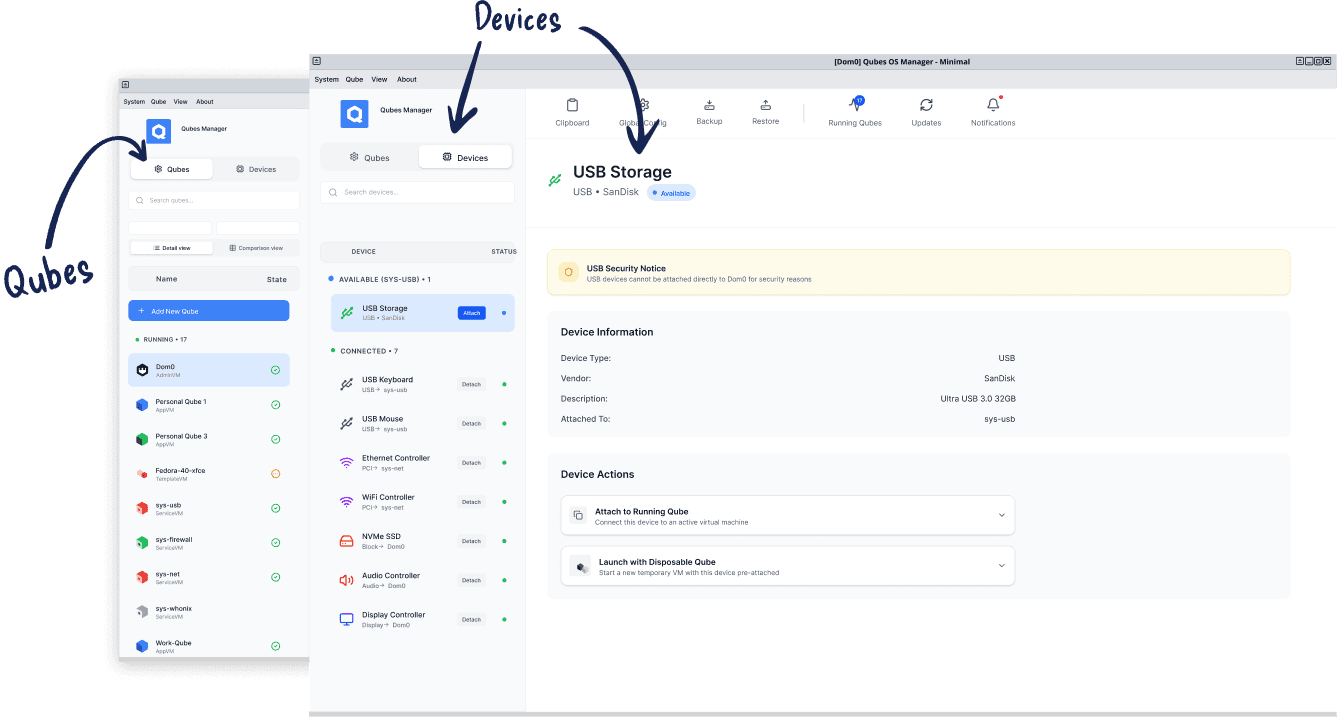
This decision was tested live at Qubes Summit 2025 — where it prompted the most significant iteration of the project.
VALIDATION
Rather than a formal research setup, I presented a working prototype live at Qubes Summit 2025, alongside the lead developer, in a room full of contributors and long-time users. It was unorthodox — but it produced blunt, high-signal feedback quickly from exactly the right people.
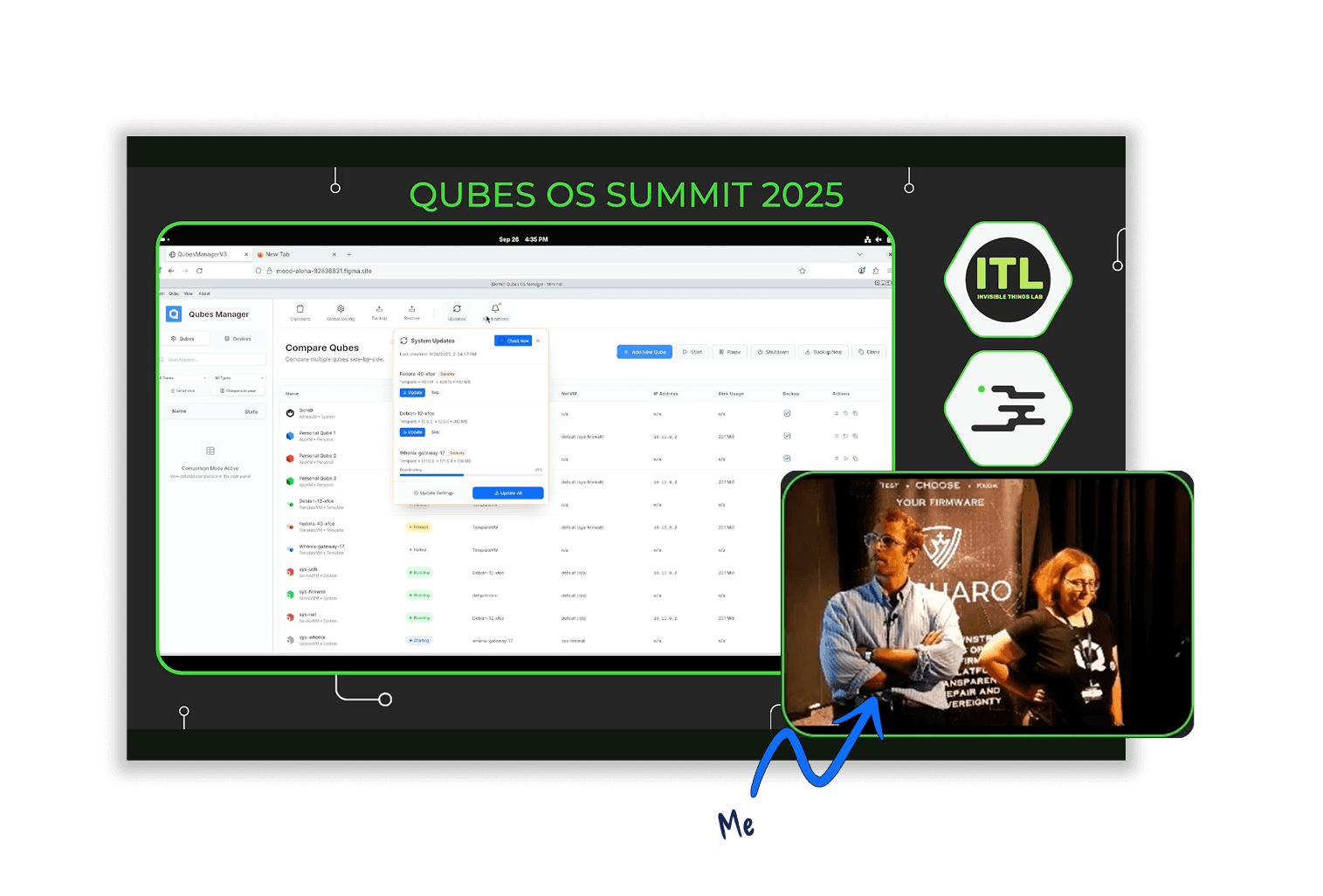
The clearest issue was the device attachment flow. Users pointed out the amount of clicking and how far the mouse had to travel to complete an attach action. The flow was logically correct but physically slow.
ITERATION
Refining the device attachment interaction.
It was the hardest function to place architecturally — detected by the system globally, but always targeted at a specific qube contextually. That tension defined where it lived in the new design.
And even after that decision was made, the interaction needed work. Users at the Summit pointed out that completing an attach action required too many steps and too much mouse travel. I added an Attach button directly to the sidebar navigation — users can now initiate attachment without switching views first. One click rather than three.
BEFORE
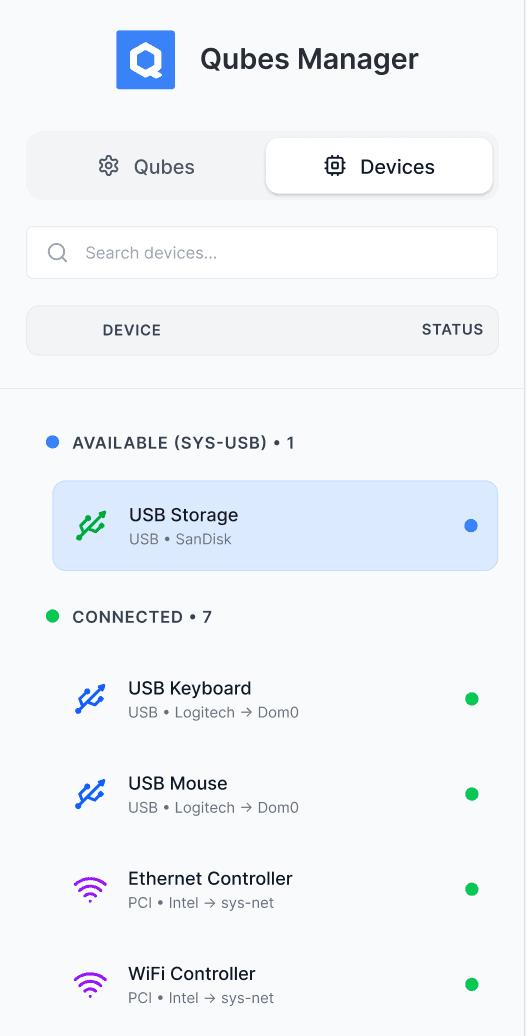
Without the direct Attach button, users had to navigate to the Devices view and select a qube separately
AFTER
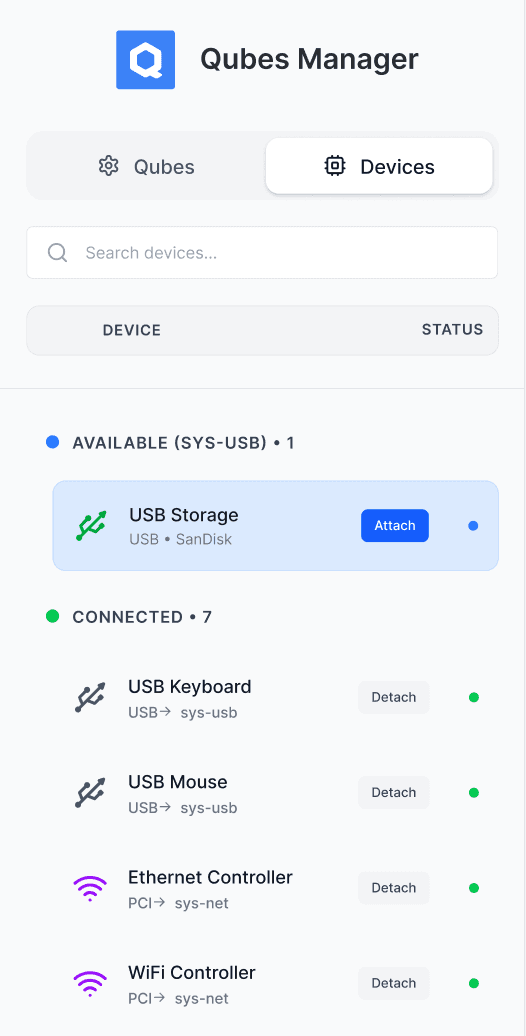
Attach button added directly to the sidebar, reducing clicks for the most common device workflow