CLIENT
ROLE
SCOPE
VIEWS RESTRUCTURED
THE BRIEF
IODA — Internet Outage Detection and Analysis — is a near real-time monitoring platform used by researchers, journalists, and network engineers to detect and analyse internet disruptions worldwide. It aggregates multiple signal sources to show when and where connectivity fails.
This was a return engagement. I had worked with the IODA team in 2022, and some of the visual decisions in the current dashboard reflected recommendations from that earlier collaboration. The ask this time was straightforward: two new charts were ready to ship, and they needed a home.
THE CONSTRAINT
The Country View was already dense. National, regional, and network-level data all sat in a single scrolling page — three distinct levels of analysis with no clear separation between them. Adding two more charts to that structure wouldn't have solved anything. It would have made an already difficult dashboard harder to use.
Before the new charts could go in, the existing structure needed to be rethought.
THE STRUCTURE
Three analytical tasks competing in one scrolling view
National, regional, and network data all sat on the same page. Users doing national-level analysis had to scroll past regional and network content to find what they needed.
THE IMPLICATION
Any new chart would inherit the same problem
Without separating those tasks first, new charts would either get buried in noise or push users to scroll further through data that wasn't relevant to their current task.
THE MENTAL MODEL
The first attempt at the redesign was a layout problem: how do you fit all this on one screen? Every version was overcrowded. Charts competed with charts, aggregate views fought with detail views. No matter how the page was arranged, it was overwhelming.
If every layout felt cluttered, maybe everything didn't belong together. Going back to the user flow surfaced what someone was actually doing when they opened the Country View — not taking it all in, but asking a sequence of questions. Was connectivity lost? Where was it concentrated? Which network is responsible? Each question pointed at a specific subset of the data. The rest was noise.
That reframed the work. The problem wasn't how to fit three views on one screen — it was that they were three views, and one screen had been the wrong container.
01
02
Where was it concentrated?
03
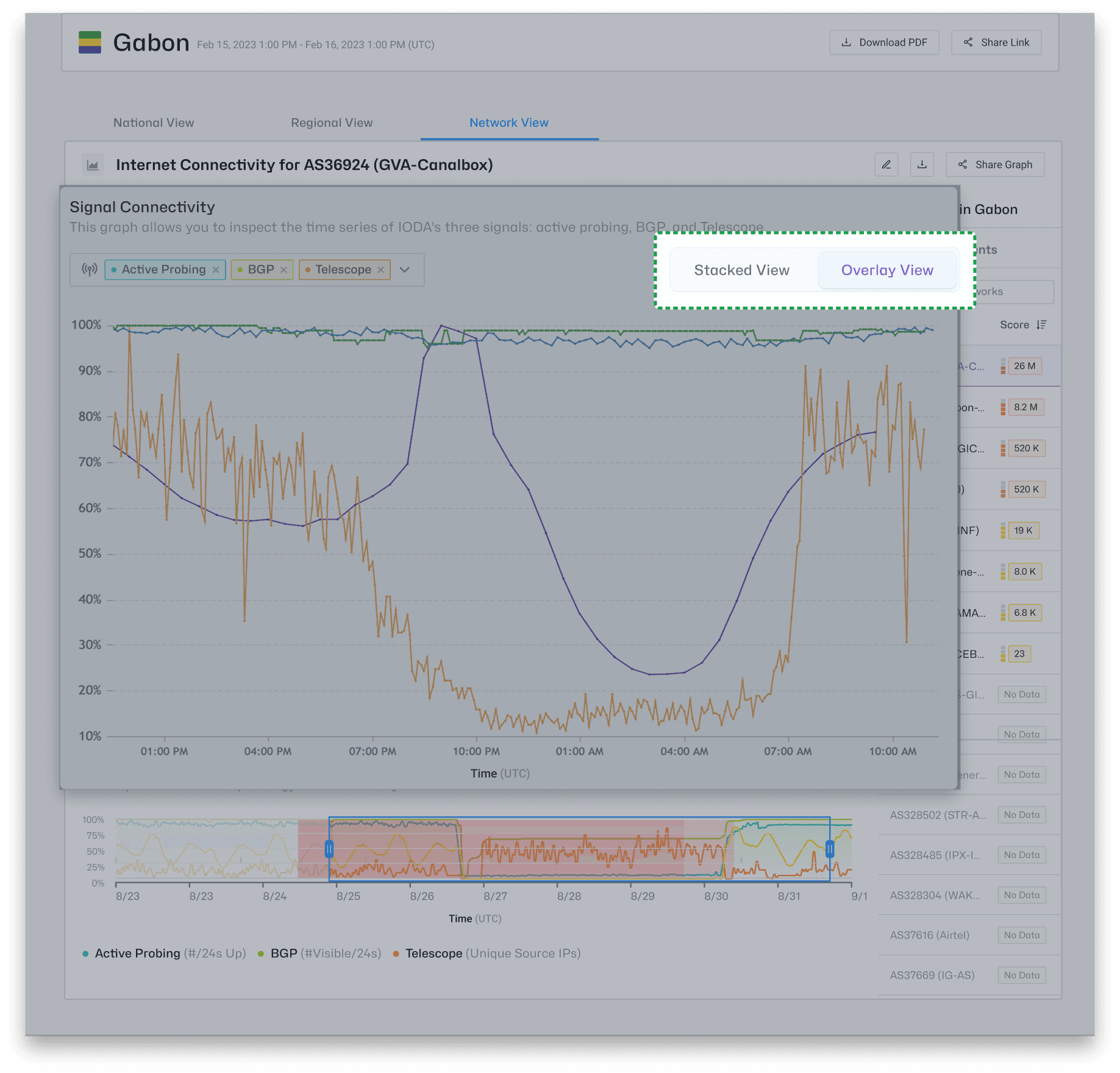
Which network is responsible?
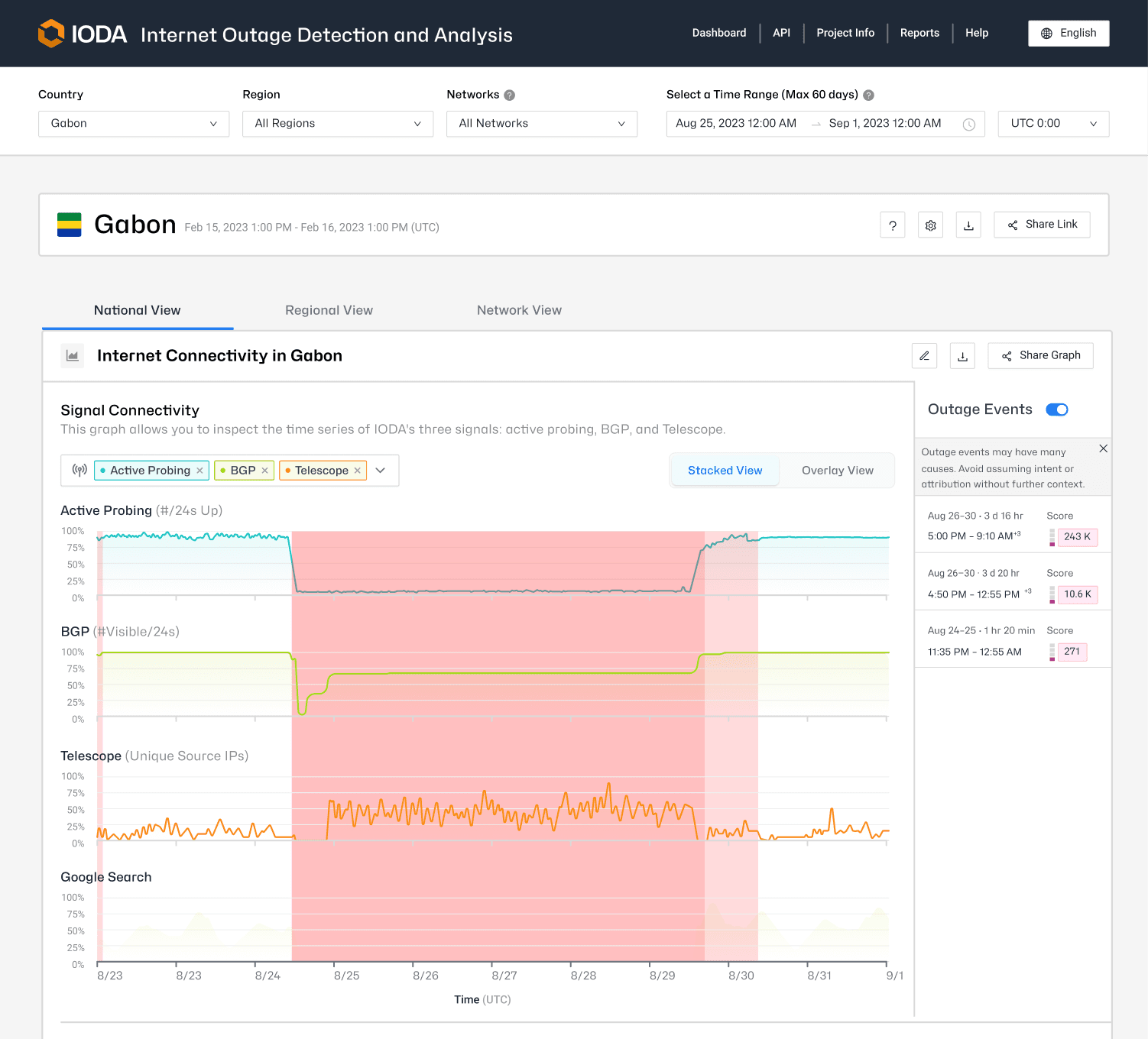
Yes - a major outage from Aug 26 to Aug 30
Estuaire - the most populous region
AS36924 - GVA Canalbox
THE STRUCTURE
Each tab has a defined scope — the logic behind what lives where reflects how users actually think about internet outages at different levels of analysis.
01
National
Country-level connectivity. The broadest view — this is for understanding the overall state of a country's internet access.
02
Regional
Sub-national breakdown. This is for identifying whether a disruption affects a specific region or is national in scope.
03
Network
ASN-level detail. This if for technical analysts who need to identify which autonomous system is affected.
PLACING THE NEW ELEMENTS
Once the tab structure existed, each new element had a clear brief — place it where its data scope matches the view's scope. Three new elements followed from that rule. Two were charts. One wasn't.
NATIONAL VIEW
NEW CHART
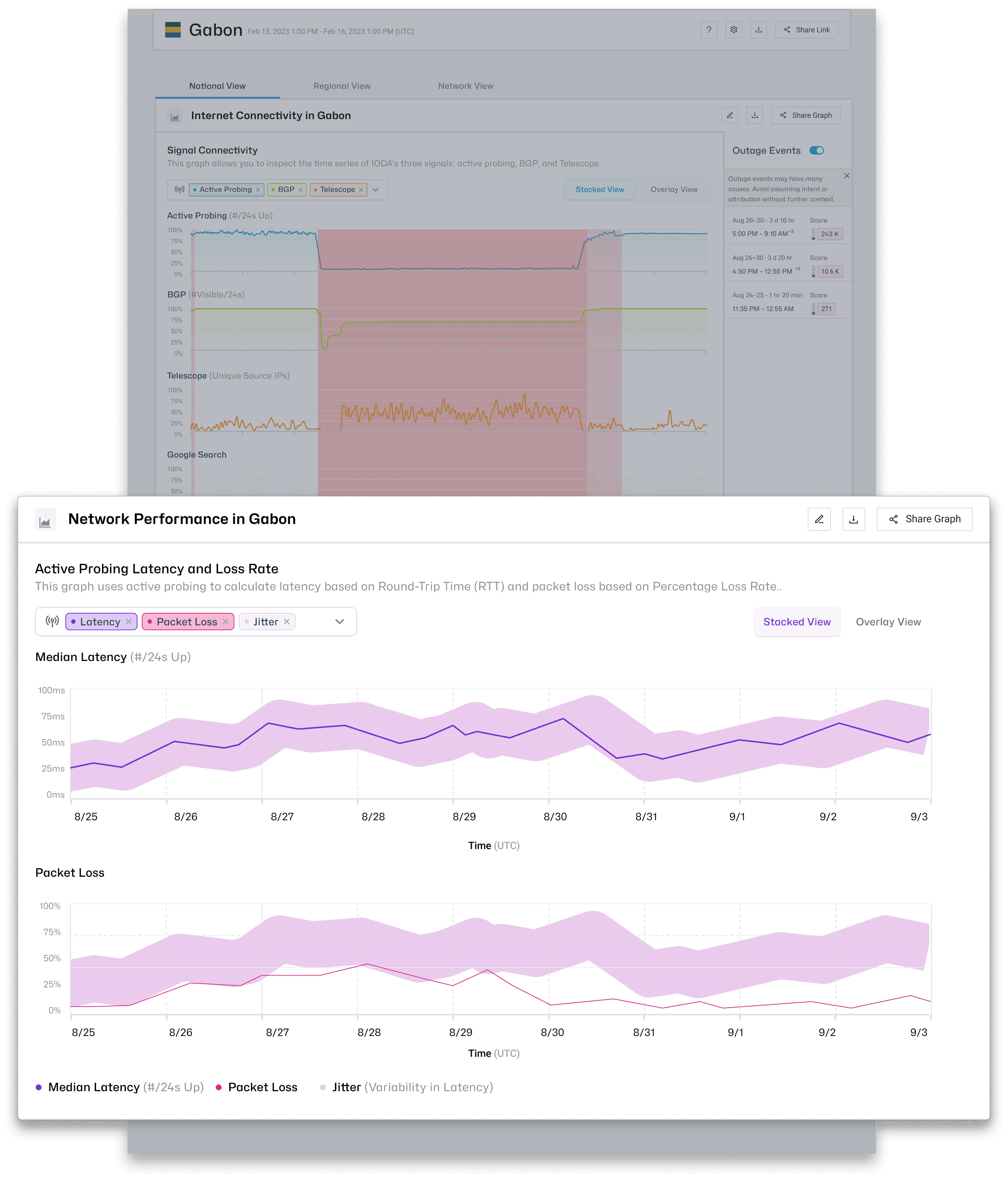
Active Probing Packet Loss
Packet loss data is aggregated across the entire country — it reflects national-level connectivity health, not individual network behaviour. Its scope matches the National tab's scope exactly. Placing it anywhere else would have implied a precision the data doesn't have.
NETWORK VIEW
NEW CHART
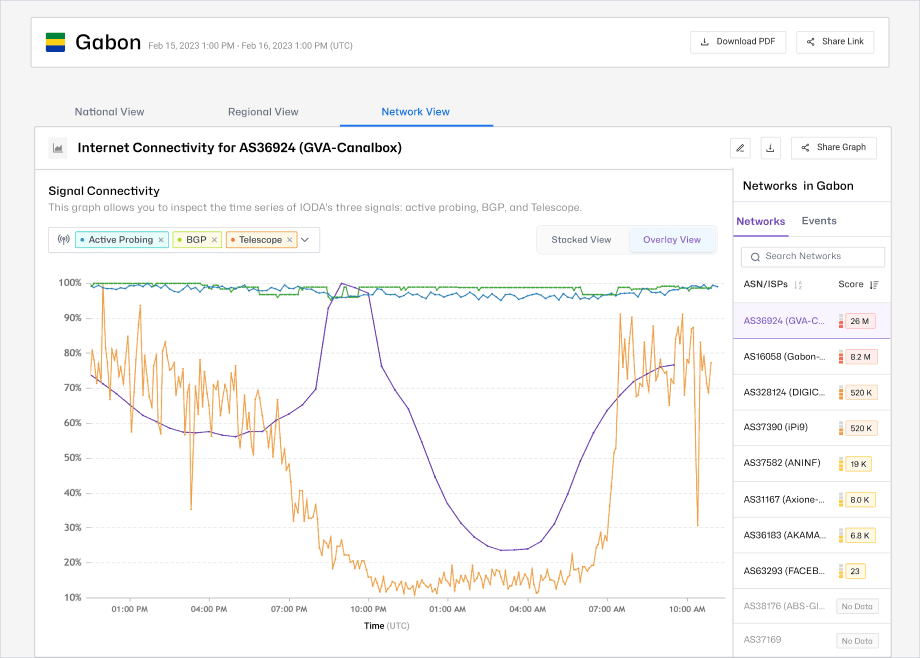
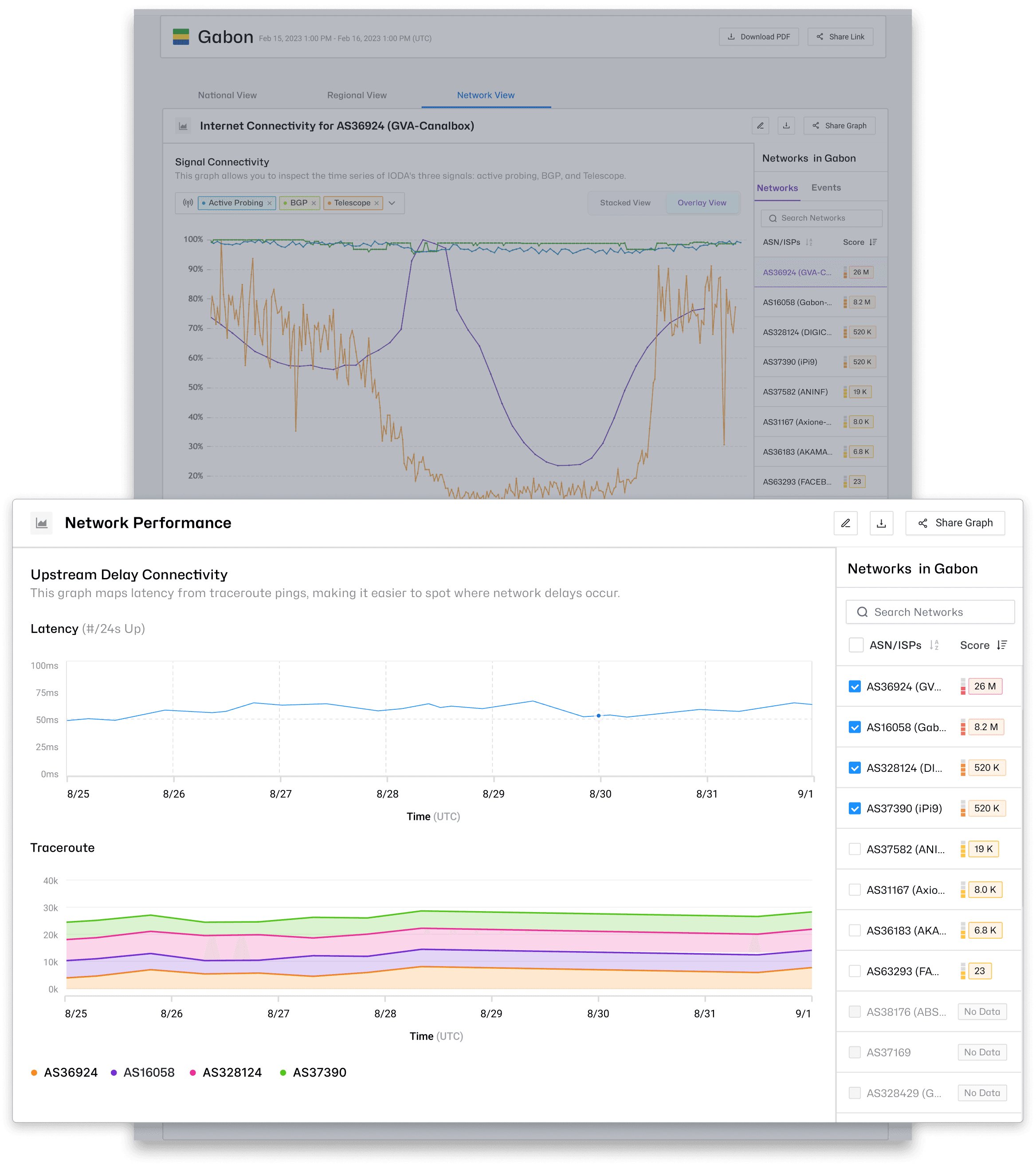
Upstream Delay
Upstream delay measures latency at the ASN level — a precise, network-specific signal. Placing it on the Network tab keeps it in context and correctly signals its precision to analysts who are already working at that level of detail.
ALL VIEWS
NOT A NEW CHART
Overlayed Map View
The overlayed map is an alternative view of existing internet connectivity data — not a new signal. Treating it as a separate chart would have implied significance it doesn't have. A toggle within the connectivity chart section keeps it accessible on all three tabs without elevating it in the hierarchy.